Reddclips: The Best Way to Browse Reddit Videos, Images, and Galleries
Reddit is home to some of the best visual content on the internet — viral videos, stunning photography, hilarious memes, incredible art, and yes, an enormous amount of adult content. But Reddit's own interface was never designed for media browsing. You're stuck scrolling past text posts, wading through comment threads, and dealing with clunky image viewers that break your flow.
Reddclips changes all of that. It's a dedicated Reddit media browser that transforms how you consume visual content from thousands of subreddits — whether you're here for the NSFW side, the SFW side, or both.
What Is Reddclips?
Reddclips is a TikTok-style vertical feed app built specifically for Reddit's visual content. Instead of the traditional Reddit layout, every post gets the full screen. Swipe up for the next post. Swipe down to go back. That's it.
It pulls content from Reddit's vast network of communities and presents it in a clean, distraction-free feed. No comment threads. No ads. No text posts cluttering your view. Just the content — images, videos, GIFs, and multi-image galleries — displayed exactly the way it should be.
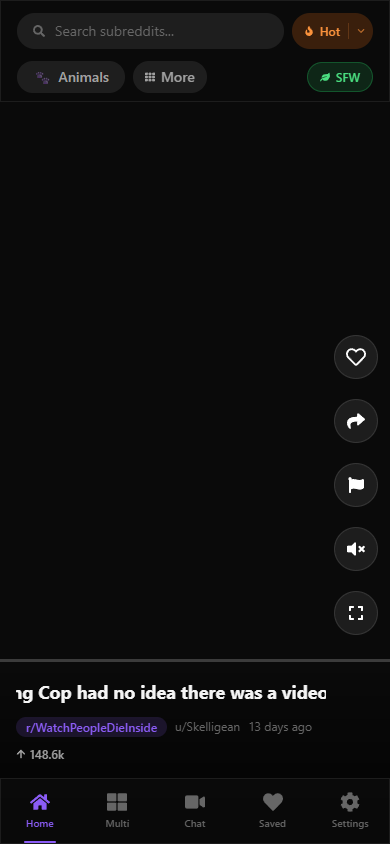 The Reddclips vertical feed — full-screen media with swipe navigation
Whether you're browsing viral clips from r/WatchPeopleDieInside, cute animals from r/aww, or curated adult content from dozens of NSFW communities, the experience is the same: fast, fluid, and focused entirely on the media.
Adult Content Done Right
Let's address the elephant in the room. A huge portion of Reddit's most active communities are NSFW, and most Reddit browsing tools either ignore them entirely or handle them poorly. Reddclips takes a different approach: adult content is a first-class feature, not an afterthought.
20+ Curated NSFW Categories
Reddclips offers over 20 hand-curated categories that organize the best adult content from across the web into easy-to-browse collections. Rather than hunting through individual subreddits, you can jump straight into categories like:
- Amateur & Homemade — Real, authentic content from r/amateur, r/HomemadeNSFW, r/RealGirls, r/CouplesGoneWild, and more
- Cosplay & Alt/Goth — Creative costume and alternative content from r/nsfwcosplay, r/gothsluts, r/BigTiddyGothGF, r/AltGoneWild
- Hentai & Anime — Illustrated and animated content from r/hentai, r/rule34, r/HENTAI_GIF, r/GenshinImpactHentai, r/OverwatchPorn
- BDSM & Fetish — Kink-focused communities like r/bdsm, r/bondage, r/Femdom, r/freeuse
- Lesbian — r/lesbians, r/StraightGirlsPlaying, r/dykesgonewild, r/LesbianGifs
- Gay — r/GaybrosGoneWild, r/MassiveCock, r/gayporn, r/twinks, r/ladybonersgw
- Trans — r/transporn, r/FemBoys, r/GoneWildTrans, r/Tgirls, r/traps
- Asian — r/AsiansGoneWild, r/juicyasians, r/KoreanNSFW, r/JAV, r/IndiansGoneWild
- Latina & Ebony — r/latinas, r/Ebony, r/brownhotties, r/DarkAngels, r/WomenOfColor
- MILF & Mature — r/milf, r/gonewild30plus, r/maturemilf, r/HotMoms
- Petite & Curvy — From r/PetiteGoneWild and r/BustyPetite to r/curvy and r/ThickThighs
- And more — Anal, Feet, Threesomes, Public & Exhibitionism, Oral, Redheads — over 20 categories in total
Each category pulls from multiple subreddits simultaneously, so you get a steady stream of fresh content without having to manage subscriptions or hop between communities.
Privacy First
Reddclips requires no account creation, no login, and no personal data collection. There's nothing to sign up for and nothing to track. Your browsing stays on your device. Bookmarks are saved locally in your browser — not on a server somewhere.
There's an age verification gate when you first visit, as required for adult content platforms, but it doesn't collect or store any personal information.
Discretion Mode
Want an extra layer of privacy? Enable the discretion toggle in Settings to blur all content by default. Each post can then be revealed individually with a tap — so nothing catches you off guard when someone glances at your screen.
SFW Mode — Not Just for Adults
Here's something that sets Reddclips apart from other Reddit media viewers: a dedicated Safe for Work mode that completely transforms the app into a clean, family-friendly experience.
Hit the green SFW toggle in the top bar, and every NSFW category disappears. What's left is a curated collection of the best non-adult visual content Reddit has to offer:
- Fun & Memes — The funniest videos, images, and viral moments from r/funny, r/memes, r/dankmemes, r/WatchPeopleDieInside, r/Unexpected, r/ContagiousLaughter, r/perfectlycutscreams, r/PublicFreakout, r/TikTokCringe, and r/AbruptChaos
- General — A mix of everything interesting from r/interestingasfuck, r/Damnthatsinteresting, r/oddlysatisfying, r/nextfuckinglevel, r/EarthPorn, r/spaceporn, r/Art, r/pics, r/foodporn, and r/CityPorn
- Animals — Cute cats, dogs, wildlife, and more from r/aww, r/AnimalsBeingDerps, r/AnimalsBeingBros, r/Eyebleach, r/rarepuppers, r/cats, r/NatureIsFuckingLit, r/Zoomies, r/StartledCats, and r/PartyParrot
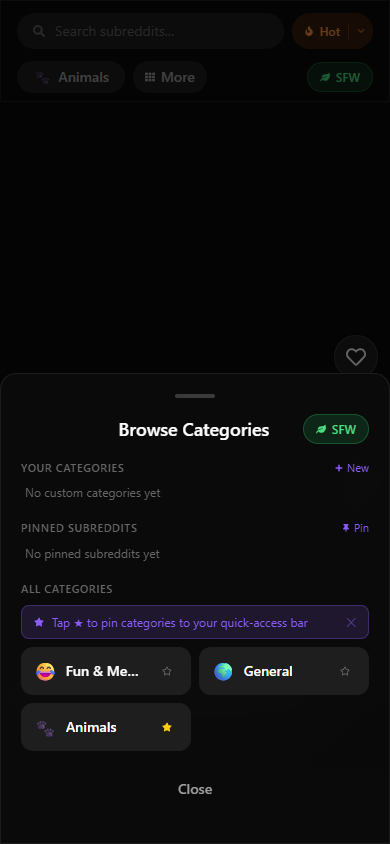 The category browser in SFW mode — browse curated collections of clean content
SFW mode is perfect for browsing during your lunch break, on public transport, or anywhere you want great visual content without worrying about what might appear next. It's also great for sharing the app with friends who just want a better way to browse Reddit memes and videos.
Key Features That Make Reddclips Different
Vertical Swipe Feed
The core experience. Every post gets the full screen. Swipe up for the next one, swipe down to go back. It's the same intuitive pattern you already know from TikTok, Instagram Reels, and YouTube Shorts — but pulling from Reddit's massive content library.
Gallery Carousel with Pinch-to-Zoom
Reddit galleries with multiple images are displayed as a smooth horizontal carousel. Swipe left and right to browse through all images in a set. On mobile, pinch to zoom into any image for a closer look. On desktop, use your scroll wheel to zoom in and out.
Multi-View — Browse Multiple Feeds at Once
This is a power-user feature you won't find anywhere else. Multi-view lets you open two or four feeds side by side, each with its own independent source. Browse r/funny and r/aww at the same time. Compare different categories. Mix NSFW and SFW content in separate panels.
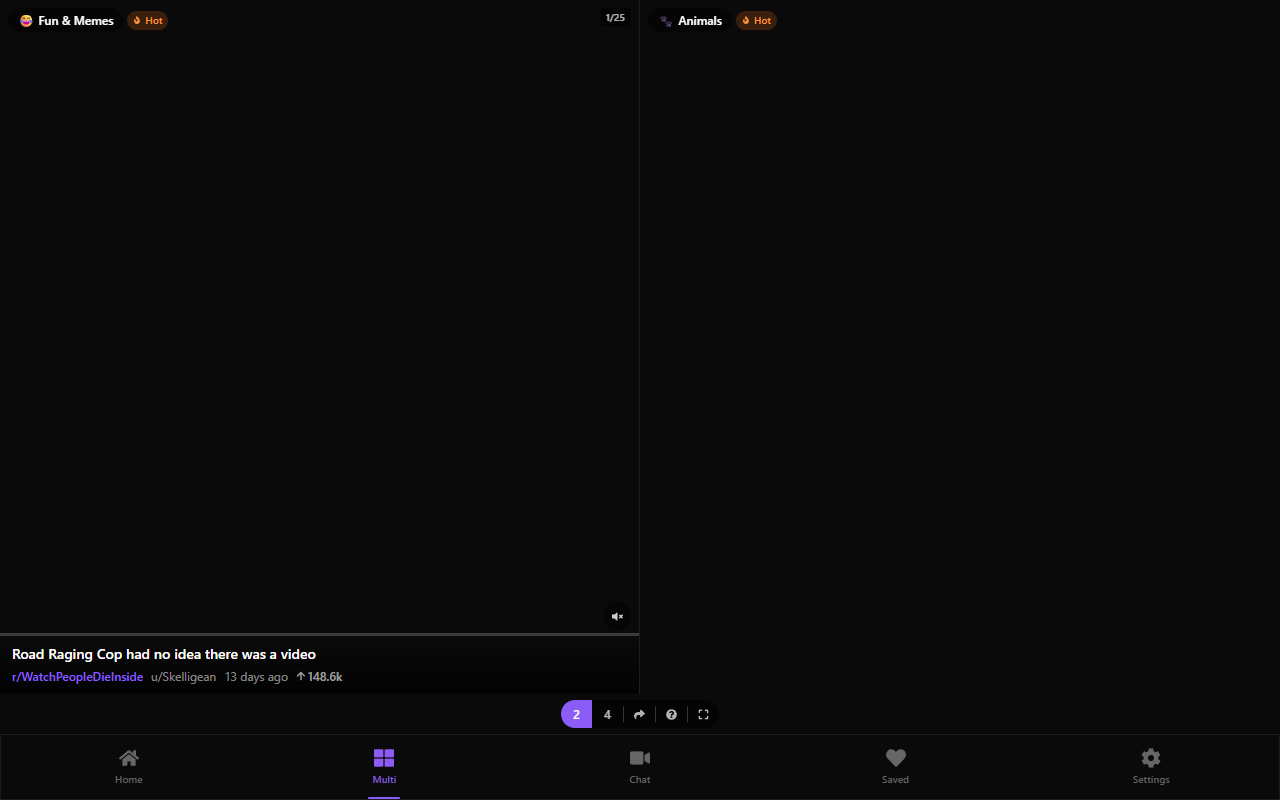 Multi-view mode — browse multiple subreddits or categories simultaneously on desktop
Each panel has its own navigation, its own scroll position, and its own source selector. It's like having multiple Reddit tabs, but in a single unified interface.
Search and Discover
Looking for a specific subreddit? The built-in search finds communities instantly as you type. Not sure what to browse? The category browser groups related subreddits into themed collections you can explore with one tap.
Keyboard Navigation
On desktop, Reddclips supports full keyboard navigation. Use arrow keys or J/K to move between posts. Navigate galleries with left and right arrows. It's fast and fluid for power users who prefer the keyboard.
Bookmarks
Found something you want to come back to? Tap the bookmark icon to save any post locally. All bookmarks are stored in your browser — nothing is sent to a server. Access your saved posts anytime from the bottom navigation bar.
Sort and Randomize
Switch between Hot, New, Top, and Rising sorting modes to control what content you see. There's also a randomize option that shuffles the feed order for a fresh experience every time.
How to Get Started
Getting started with Reddclips takes about five seconds:
- Open the app — visit reddclips.com from any browser on mobile or desktop
- Choose your mode — select 18+ for the full experience, or Safe for Work for clean content only
- Start swiping — the default feed loads automatically with trending content
- Explore categories — tap the category chips at the top or hit "More" to browse all available collections
- Try multi-view — on desktop, switch to the Multi tab to browse multiple feeds side by side
No account needed. No app to download. No setup required. It just works.
Built for Speed
Reddclips is engineered for performance from the ground up. Pages load instantly. Media starts playing immediately. The app is optimized for both mobile and desktop browsers. There's no app to install — it runs right in your browser and works offline for previously loaded content.
The Bottom Line
Reddit has incredible visual content scattered across thousands of communities. Reddclips brings it all together into one fast, beautiful, privacy-respecting experience. Whether you're here for curated adult content with 20+ NSFW categories, or you just want a better way to browse memes and cute animals in SFW mode, Reddclips is the Reddit media browser you've been looking for.