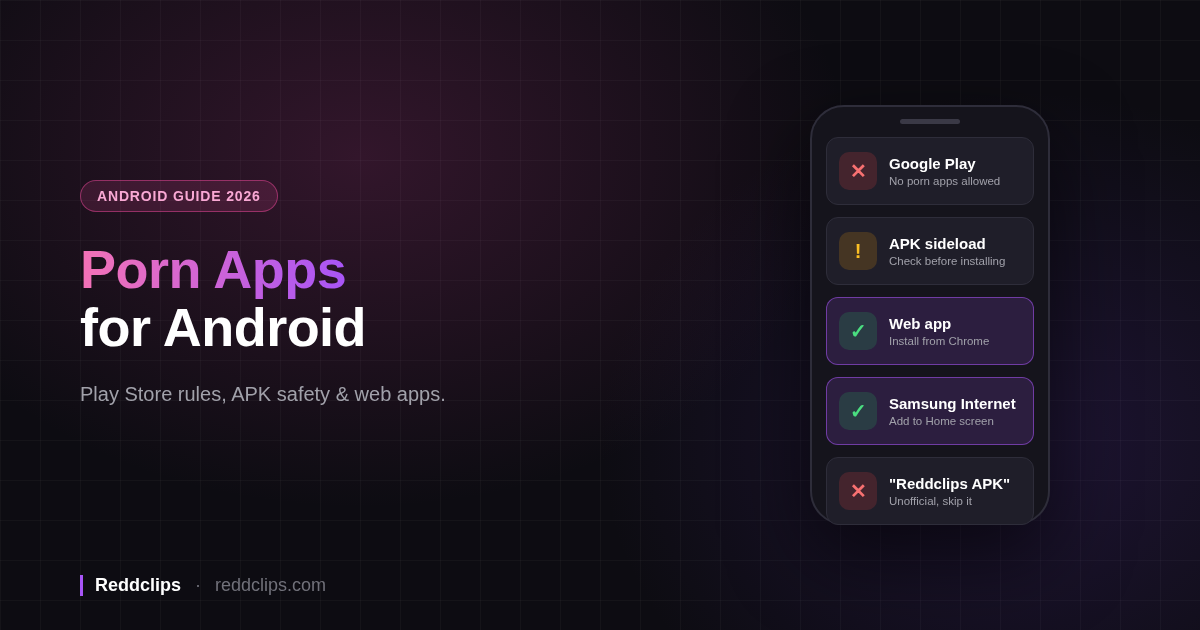
Google Play doesn't allow porn apps. Google's developer policy bans apps that contain or promote pornography or anything "intended to be sexually gratifying." Search the Play Store for porn and you get dating apps, general social platforms and Reddit clients, and none of them is a porn app. Porn apps for Android come from two other routes: sideload an APK from outside Play, or install a web app from your browser. The web app route is safer and takes a few taps.
This guide covers Android only: the Play rule, what to check before you install an APK, and how to put a porn web app on your home screen. For every platform, including iPhone, see our full list of the best NSFW apps.
Are There Porn Apps on Google Play?
No. The rule sits in the Google Play Developer Policy under Inappropriate Content → Sexual Content and Profanity:
"We don't allow apps that contain or promote sexual content or profanity, including pornography, or any content or services intended to be sexually gratifying."
The same policy also bans apps that promote "sex-related entertainment, escort services" and compensated dating. Google allows two narrow exceptions. Apps can contain nudity when "the primary objective is educational, documentary, scientific, or artistic," and catalog apps built around selling books or videos can qualify if they restrict minors' access to sexual titles.
In practice, an app on Play that looks "adult" has to fit inside those rules. You get dating apps, mainstream platforms that keep explicit posts behind a setting, and apps that use suggestive icons and screenshots without showing explicit content. A Play listing that promises free porn is either breaking the policy and due for removal, or showing you something different from what it advertises.
What's the Safest Way to Get Porn Apps on Android?
You have three options, from safest to riskiest:
- A web app installed from your browser. It runs inside Chrome or Samsung Internet, gets its own icon and opens full-screen. Nothing to sideload.
- A mainstream app from Play with adult content turned on in its settings. The app passed Play's review, but the explicit content lives on the platform, so you depend on its settings and its rules.
- An APK from outside Play. This works, but you take on the job of deciding whether the file is safe.
If you came looking for an Android porn app to download, you probably had option 3 in mind. Option 1 gets you the same home-screen icon, and you never touch the unknown-apps setting.
Sideloading APKs: Risks and How to Check One
An APK is the install file for an Android app. When you install one from a website instead of Play, you're sideloading it.
What "Install Unknown Apps" Means
Android blocks installs from outside Play until you approve them. On Android 8.0 and later, Android's developer documentation says "users must navigate to the Install unknown apps system settings screen to enable app installations from a particular location." You grant the permission per source, so allowing Chrome to install an APK doesn't allow your file manager or messaging app to do the same.
Turn the permission back off for that app once your install finishes. You'll find it under Settings → Apps → Special app access → Install unknown apps on most phones, though the path differs between manufacturers.
What Play Protect Does and Doesn't Do
Google Play Protect runs on your phone and "checks your device for potentially harmful apps from other sources," including sideloaded ones. If it flags an app, it can warn you, "disable the app until you uninstall it," or remove it. It may also block installs of unverified apps that request "sensitive device permissions that are commonly targeted by scammers to commit financial fraud."
Play Protect looks for harmful apps. It can't tell you whether an APK came from the developer you think it did, and Google notes that "you can choose to disable some of these protections in your device settings." Keep it on, and don't read a clean scan as approval.
Developer Verification Has Started
Google is rolling out developer verification for apps installed outside Play, and the first two dates on its timeline have passed. According to Google's developer verification page:
- August 2026: "Developer APIs, limited distribution accounts, and power user advanced flow launch."
- September 30, 2026: "Protections begin for all users who install apps from participating stores in Brazil, Indonesia, Singapore, and Thailand on certified devices running Android 7+."
- 2027: "Verification capability will be expanded globally for all apps on certified Android devices."
Google also describes an "advanced flow" so "power users can sideload apps from unverified developers." The page doesn't spell out how that flow works. Outside those four countries, the page sets no verification date before the 2027 global expansion.
A Quick APK Checklist
- Get the file from the developer. Use the project's own website or its official repository. Skip mirror sites and "APK download" aggregators.
- Treat "premium", "mod" and "unlocked" APKs as hostile. Someone repackaged the app to change how it works, and you can't see what else they changed.
- Read the permissions. A video app has no reason to ask for SMS, accessibility services or device admin.
- Keep Play Protect on, and turn off "Install unknown apps" for your browser afterwards.
- If the brand has no official APK, any APK using that name is unofficial. That rule covers us too (see below).
Install a Porn Web App on Android
A progressive web app (PWA) is a website that your browser can install like an app. MDN's guide to installable PWAs says that once installed, "the PWA can be launched as a standalone app, rather than a website in a browser."
Your browser choice matters on Android. Per MDN, "the only browsers that install PWAs as WebAPKs are: Chrome on devices with Google Mobile Services (GMS), and Samsung Internet on Samsung devices." That install "gives them a real entry in the app launcher and switcher, and in the system settings." Firefox, Edge, Opera and other browsers add "a browser-badged home-screen shortcut that opens the site in the browser" instead.
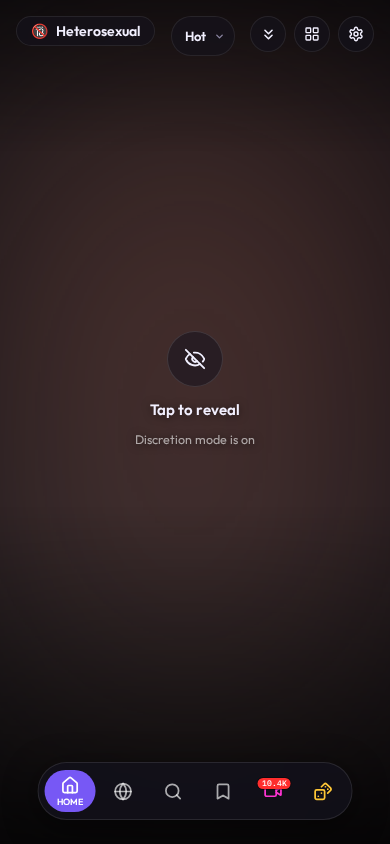
Reddclips works as the example here. Its web app manifest sets "display": "standalone", which MDN describes as looking and feeling "like a platform-specific application, with no browser UI elements." When you open it from your home screen, you get a full-screen vertical feed with no address bar.
Chrome
- Open reddclips.com in Chrome.
- Tap the ⋮ menu in the top-right corner.
- Tap Add to home screen (some versions show Install app).
- Tap Install to confirm.
Samsung Internet
- Open reddclips.com in Samsung Internet.
- Tap the ☰ menu at the bottom of the screen.
- Tap Add page to, then Home screen.
- Confirm with Add.
Menu labels vary between browser versions. If the address bar shows an install icon, you can tap that instead. To remove the app later, long-press the icon and choose Uninstall or Remove, the same as any other app.
Is There a Reddclips APK?
No. Reddclips doesn't publish an APK and isn't on Google Play. An APK called "Reddclips" that you find on a download site didn't come from us, so don't install it.
To get Reddclips on Android, open the Reddclips web app in Chrome or Samsung Internet and install it from the menu using the steps above. You get the same icon and full-screen feed an APK would give you, with no unknown-apps permission. We ship updates to the site, so the installed web app stays current without a manual download.
Best Porn Apps for Android by Type
These are the NSFW Android apps we'd start with, one per type. The best NSFW apps guide has the full rundown with pros and cons.
| Type | Pick | Why it works on Android |
|---|---|---|
| Web app (Reddit media) | Reddclips | Lets you browse any subreddit in a full-screen swipe feed; installs from Chrome or Samsung Internet |
| Private browser | Brave, DuckDuckGo or Firefox Focus (compared here) | All three are on Play; private tabs, one-tap data clearing or auto-erase on close |
| Platforms | Reddit, X, Redgifs | Use the mobile site or the app with adult content enabled in settings |
On Reddclips, the categories combine up to 43 subreddits into one feed, so you can open Amateur, Hentai or Lesbian and keep swiping. It's free, and you don't need an account or sign-up. For more on choosing a browser, see our best NSFW browsers guide.
Privacy on Android
A few settings keep your browsing off your screen and out of sight of whoever borrows your phone. For the wider picture, including networks and scams, read how to watch porn safely.
- Private tabs. Chrome Incognito and Samsung Internet's Secret mode don't save history or cookies once you close the tab. An installed web app doesn't open in those modes. If you'd rather have no icon at all, use a private tab.
- Private space (Android 15+). Android's private space gives you a separate, locked area for apps. When you lock it, its apps disappear from your app list. Install a second browser in it and keep adult browsing there.
- Secure Folder (Samsung). Secure Folder does the same job on Galaxy phones, with its own lock. Apps you add run as separate copies, and you can rename the folder or hide it from the Apps screen.
- Home-screen discretion. Put the web app icon in a folder off your main page. Inside Reddclips, turn on Discretion Mode in Settings to blur content until you tap it.
- Lock-screen notifications. Set Settings → Notifications → On lock screen to hide sensitive content, so a browser notification can't show a page title. The exact path varies by phone.
Private tabs and locked folders protect your phone. They don't hide which sites you visit from your mobile carrier or Wi-Fi network. A VPN covers that part. We recommend Proton VPN (affiliate link).
Frequently Asked Questions
Are there porn apps on Google Play?
No. Google Play's policy says "We don't allow apps that contain or promote sexual content or profanity, including pornography." Apps that look adult on Play are dating apps or mainstream platforms. For porn on Android, install a web app from Chrome or Samsung Internet instead.
Is it safe to download porn APKs?
It depends on the source. APKs from the developer's official site carry the normal risks of any sideloaded app. "Premium" or "modded" APKs from download sites are repackaged by strangers and can contain anything. Keep Play Protect on, check permissions, and turn off "Install unknown apps" when you finish.
Is there a Reddclips APK?
No. Reddclips has no APK and no Play Store listing, so any "Reddclips APK" online is unofficial. Open reddclips.com in Chrome or Samsung Internet and choose Add to home screen or Install app. It opens full-screen like a native app.
What is the best porn app for Android?
For Reddit media, Reddclips installed as a web app gives you a full-screen swipe feed with no sideloading. For browsing other sites, use a private browser such as Brave or Firefox Focus. Our best NSFW apps list compares more options.
Can I hide a porn app on my Android phone?
Yes. On Android 15 or later, put a browser in private space, which drops its apps from your app list while it's locked. On Samsung phones, use Secure Folder. You can also keep the web app icon in a folder and turn on Reddclips' Discretion Mode.
Will sideloading still work after developer verification?
Google says verification started on September 30, 2026 in Brazil, Indonesia, Singapore and Thailand, and expands globally in 2027. It also plans an "advanced flow" for power users who want to install apps from unverified developers.
