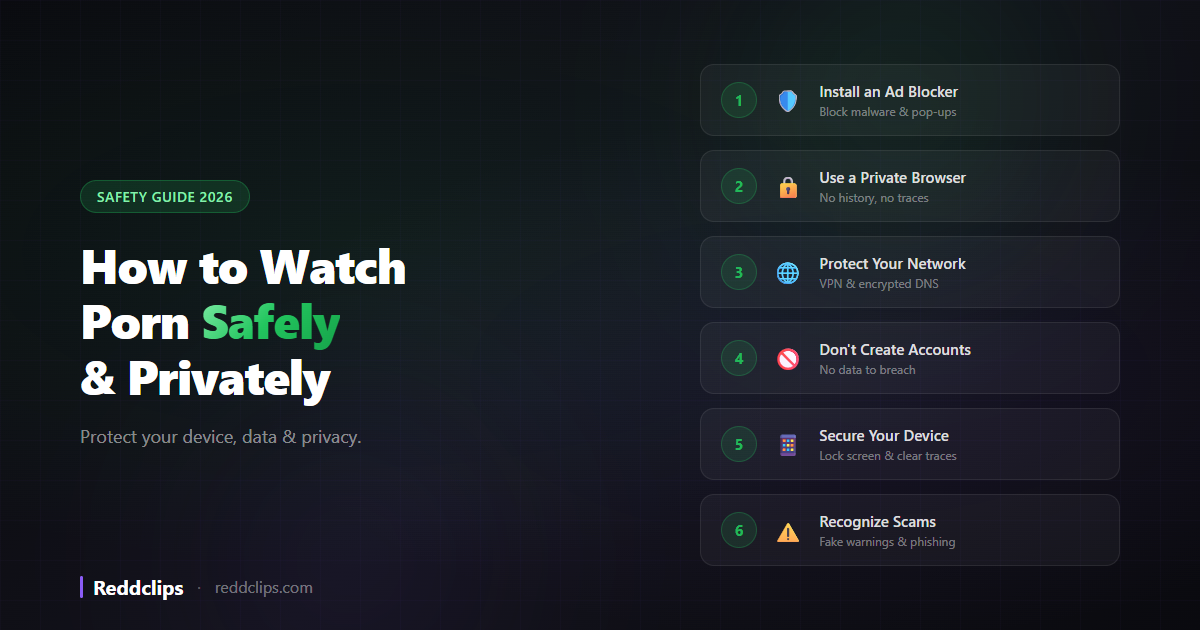
Most people watch porn. Few people think about doing it safely. And that's a problem — because between malware-laden ads, tracking cookies, ISP monitoring, and data-hungry platforms, browsing adult content without precautions can lead to real consequences. Embarrassing autofill suggestions are the least of your worries.
This guide covers everything you need to know about watching porn safely and privately in 2026. No judgment, no moralizing — just practical steps to protect your device, your data, and your privacy.
Why Porn Safety Matters
Before diving into the how, here's what you're actually protecting against:
Malware & Viruses
Porn sites are one of the top vectors for malware. Not usually the content itself — it's the ads. Free porn sites rely on advertising, and the adult ad networks are notoriously willing to serve malicious ads that can:
- Install ransomware or spyware on your device
- Redirect you to phishing sites
- Trigger unwanted downloads
- Hijack your browser with pop-ups
Tracking & Data Collection
Every website tracks you to some degree, but porn sites are especially aggressive. They use cookies, fingerprinting, and third-party trackers to build profiles of your browsing behavior. This data is sold to ad networks and data brokers. In theory, it's anonymized. In practice, it's often possible to de-anonymize.
ISP Monitoring
Your internet service provider (ISP) can see every domain you visit. They don't see the specific page or video, but they know you visited pornhub.com at 11:47 PM. In some countries, ISPs are required to log this data. In others, they sell it to advertisers.
Account & Identity Exposure
Creating accounts on porn sites means giving them your email (and sometimes your real name and payment info). Data breaches at adult sites have happened repeatedly, and the consequences can be severe — from blackmail to public embarrassment.
Step 1: Install an Ad Blocker (Most Important)
If you do only one thing from this guide, do this. An ad blocker eliminates 90% of the safety risks associated with porn browsing.
Best Options:
uBlock Origin (browser extension)
- Works on Firefox, Chrome, Edge, and Brave
- Blocks ads, pop-ups, malicious scripts, and trackers
- Completely free and open-source
- The gold standard of ad blocking
Brave Browser (standalone browser)
- Built-in ad blocker that works out of the box
- No extension needed — just install and browse
- Also blocks trackers and fingerprinting
- Available on desktop and mobile
Why this matters for porn specifically: Mainstream websites have ad standards that prevent malware. Porn sites don't. Adult ad networks serve low-quality, often dangerous ads. Without an ad blocker, you're exposed to redirects, pop-unders, fake "virus warning" scams, and actual malware. With an ad blocker, these are all eliminated.
For a detailed comparison, see our guide to the best NSFW browsers.
Step 2: Use a Private Browser or Mode
Regular browsing leaves traces everywhere — history, cookies, cached images, autofill suggestions. For porn browsing, you want to minimize or eliminate these traces.
Option A: Dedicated Private Browser (Recommended)
Use a separate browser exclusively for adult content. This creates complete isolation from your everyday browsing:
- Brave Browser — Best all-around. Built-in ad blocker + Tor mode. Use this as your dedicated porn browser.
- Firefox Focus (mobile) — Auto-erases everything when you close it. Zero configuration needed.
- DuckDuckGo Browser (mobile) — One-tap "Fire Button" clears all data instantly.
Option B: Private Browsing Mode
If you don't want a separate browser, use your current browser's private mode:
- Chrome: Ctrl+Shift+N (Incognito)
- Firefox: Ctrl+Shift+P (Private Window)
- Safari: File → New Private Window
- Edge: Ctrl+Shift+N (InPrivate)
Important: Private mode only prevents your browser from saving history, cookies, and form data locally. It does NOT hide your browsing from your ISP, your employer (on work networks), or the sites themselves. It's a basic level of privacy, not full anonymity.
Option C: Ad-Free Platforms
Some platforms are safe enough that you don't need extra precautions:
- Reddclips — No ads, no account required, minimal analytics. Browse 18 categories of Reddit adult content in a clean, safe interface. The safest option for Reddit-based porn.
Step 3: Protect Your Network
Your browser handles local privacy (history, cookies). But your network connection is a separate layer that needs its own protection.
VPN (Virtual Private Network)
A VPN encrypts your internet traffic and routes it through a server in another location. This means:
- Your ISP can't see which sites you visit
- Your employer can't monitor your browsing (on Wi-Fi)
- Public Wi-Fi networks can't intercept your traffic
- Your real IP address is hidden from the sites you visit
Recommended VPN qualities:
- No-log policy — The VPN provider doesn't store your browsing data
- Kill switch — Cuts your internet if the VPN disconnects, preventing accidental exposure
- Fast speeds — Important for streaming video content
- Reputable provider — Stick to established names. Free VPNs often sell your data.
DNS over HTTPS (DoH)
Even with a VPN, your DNS queries (which translate domain names to IP addresses) can leak. Enable DNS over HTTPS to encrypt these queries:
- Firefox: Settings → Privacy & Security → Enable DNS over HTTPS
- Chrome: Settings → Privacy and security → Use secure DNS
- Brave: Settings → Privacy and security → Use secure DNS
Step 4: Don't Create Accounts
The safest approach to porn is to never create an account anywhere. Every account is a potential data breach waiting to happen.
Sites that don't require accounts:
- Reddclips — Full access to all content, no sign-up
- Most tube sites (Pornhub, XVideos, etc.) — Free content available without accounts
- Redgifs — Browsing works without accounts
If you must create an account:
- Use a dedicated email address (not your main one)
- Use a unique, strong password (password manager recommended)
- Never use your real name
- Never link a personal payment method
- Enable two-factor authentication if available
Step 5: Secure Your Device
Lock Screen Protection
If someone picks up your phone, they shouldn't be able to see what you were browsing:
- Close tabs when done — or use Firefox Focus which does this automatically
- Disable notification previews — Settings → Notifications → Show Previews → When Unlocked (iOS) or Hide content on lock screen (Android)
- Use biometric lock — Fingerprint or face ID to unlock your browser
Clear Your Traces
If you're not using a private browser or auto-clearing browser:
- Clear browsing data regularly: History, cookies, cached images
- Clear "Recently Closed" tabs — Private mode doesn't always clear these
- Check autofill suggestions — Your browser may suggest porn URLs in the address bar
- Clear clipboard — If you copied a URL, it may still be in your clipboard
Use Web Apps Instead of Native Apps
Web apps like Reddclips have advantages over native apps:
- Don't appear in your app download history (App Store/Google Play)
- Don't send push notifications by default
- Can be removed from your home screen without leaving a trace
- No app data stored that could be discovered
Learn how to add Reddclips to your home screen as a web app.
Step 6: Recognize Scams & Threats
Fake Virus Warnings
The most common porn scam: a full-screen pop-up saying "YOUR DEVICE IS INFECTED!" with a phone number to call or software to download. This is always fake. Close the tab (or force-close the browser if needed). Never call the number or download anything.
"Free Premium" Scams
Sites offering free premium accounts in exchange for completing surveys, downloading apps, or entering your credit card "for verification." These are always scams. Legitimate porn sites don't operate this way.
Phishing Pages
Fake login pages that look like real sites (Pornhub, Reddit, etc.) designed to steal your credentials. Always check the URL before entering any login information.
Blackmail/Sextortion Emails
Emails claiming a hacker recorded you watching porn through your webcam. These are bulk-sent scams — they haven't actually recorded anything. Delete and ignore.
The Simplest Safe Setup
If all these steps feel like a lot, here's the minimum viable safe setup:
On Desktop:
- Install Brave Browser (free, built-in ad blocker)
- Use Brave's Private Window with Tor for porn browsing
- Bookmark Reddclips for Reddit adult content (no ads, no account)
On Mobile:
- Install Brave Browser from your app store
- Use Private tabs for browsing
- Add Reddclips to your home screen (instructions here)
That's it. Three steps on either platform, and you're dramatically safer than 95% of people browsing adult content.
Safe Porn Sites to Start With
If you're wondering where to actually browse safely, here are our top recommendations:
| Site | Why It's Safe |
|---|---|
| Reddclips | No ads, no account, minimal analytics, Reddit content |
| Pornhub | Established, HTTPS, verified amateurs program |
| Large platform, HTTPS, community moderation | |
| Redgifs | No account needed for browsing, HTTPS |
| Bellesa | Ethical, female-focused, clean interface |
For a detailed breakdown of the best sites, see our guide to the best free porn sites.
Frequently Asked Questions
Can you get a virus from watching porn?
Not from watching the video itself — but from the ads on porn sites, yes. Malicious ads can install malware, redirect you to phishing sites, or trigger unwanted downloads. Using an ad blocker (uBlock Origin or Brave Browser) eliminates this risk almost entirely.
Can my ISP see what porn I watch?
Your ISP can see which domains you visit (e.g., pornhub.com) but not the specific pages or videos. Using a VPN hides even the domain from your ISP. Using DNS over HTTPS prevents your ISP from seeing your DNS queries.
Is incognito mode enough for porn?
Incognito prevents your browser from saving history and cookies locally. It does NOT hide your browsing from your ISP, employer, or the sites themselves. For actual privacy, combine private browsing with a VPN, or use Brave Browser's Tor mode.
How do I stop porn showing up in suggestions?
Use a dedicated browser for adult content (separate from your daily browser). This completely isolates your browsing. Alternatively, always use private/incognito mode, which prevents suggestions from being stored.
Is it safe to watch porn on my phone?
Yes, with the same precautions you'd take on desktop: use an ad blocker (Brave Browser), use private browsing mode, and stick to established sites. Web apps like Reddclips are particularly safe on mobile since they don't require downloads or accounts.
What is the safest way to watch porn?
The safest setup: Brave Browser (built-in ad blocker) + VPN (hides browsing from ISP) + no accounts (no data to breach) + Reddclips or established sites only (no random links). This gives you strong protection against malware, tracking, and exposure.
Do porn sites track you?
Yes — through cookies, browser fingerprinting, and third-party tracking scripts. An ad blocker reduces this significantly. Using a private browser or private mode prevents cookies from persisting between sessions. A VPN hides your IP address from the sites.